
If a payment connected with QQ2 Game has left the bank account but is missing from the wallet, start with the transaction records. The unchanged balance does not explain where the money is or prove it is safe. Compare the bank-side result with the account’s deposit history before making another payment.
A delay can occur between payment stages, but several causes are possible. The payment may be pending, rejected or successful at one end without the wallet record being updated. Read the status rather than assuming the money is simply waiting in a bank queue.
A QQ2 Game deposit entry may normally appear within minutes, yet that expectation is not a deadline. Bank processing and account-side updates can differ, and the cause of today’s missing entry needs to be checked individually.
The steps below help gather the evidence for a query: the amount, bank result, reference number and wallet status. They also explain how to contact support without disclosing credentials. No walkthrough can promise recovery or a fixed resolution time, but a clear record is more useful than repeated payments or guesses about the cause.
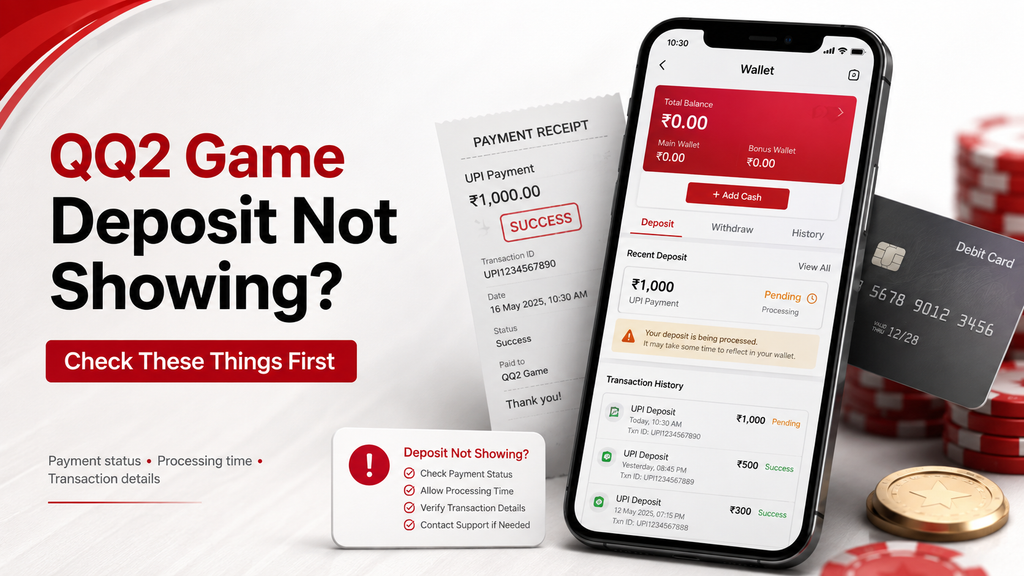
Compare the Two Transaction Records
A debit shown by a payment app and a credit shown by a game wallet are different records. Inspect both, including whether each says successful, pending or failed, before deciding what has happened to the payment.
Why the Displays May Differ
Processing or confirmation can take time when a bank or provider has a problem. Allow the relevant screen to refresh, but do not interpret a delay alone as proof that the payment will complete shortly.
A weak connection can also leave an account screen showing old information. Reconnect through a reliable network and refresh the wallet, then compare its history again. A refreshed display is a check, not a way to force bank settlement.
Establish Whether the Account Was Debited
Begin with the bank or payment-app record. Look for the exact amount, time and destination, then read the result. A mistake in one of those details may explain why the expected wallet entry cannot be matched.
Read the Bank Entry Carefully
Open the relevant transaction in mobile banking and confirm whether a debit occurred. Do not repeat the transfer merely because the wallet is empty. First establish whether the original payment is completed, pending or failed.
Read any bank notification alongside the transaction itself. A blocked or failed payment may have a reversal process, but the route and timing depend on the payment type and failure rather than a universal promise of an immediate refund.
Use the Reference to Follow the Payment
A transaction reference gives the payment provider and recipient a way to identify the entry. Keep it with the amount and date so that a support query concerns the right payment rather than a general missing-balance report.
Finding the UPI Reference or UTR
Open the transfer details in the UPI or banking app. Look for the transaction reference, which may be labelled UTR or another reference ID. UPI references are commonly twelve digits; copy the value exactly as shown rather than changing its format.
- Use that reference when asking about the pending entry.
- Provide it through the established support route when requested.
- Retain a private copy with the payment receipt.
The reference helps support locate and compare records. It does not, on its own, prove the intended recipient received the full amount or make the wallet update automatically. Keep the bank result and destination details alongside it.
Inspect the Payment Route Before Using It
For any payment associated with qq2games.com, establish which service receives it and use only its identified account route. Avoid copied payment links from public messages or unrelated pages, even if they use a familiar game name.
Details That Can Disrupt Matching
Let the payment page finish showing its result and return path. Closing a window early can leave the visible confirmation unclear, but it does not establish whether the underlying transfer failed. Check history before taking further action.
Keep the requested amount consistent with the order created in the account. If the amount differs between the payment request and bank record, include that difference in the query rather than silently changing it.
Check the connection before opening payment screens. If the network drops, reconnect and inspect the existing record; do not assume another submission is needed simply because the page stopped loading.
Preparing a Missing-Deposit Query
If the expected update has not appeared, consult the current support instructions. The original guide suggests checking after an hour, but the relevant provider’s status and conditions should determine the next step rather than that interval alone.
Keep a clear receipt showing the amount, time, destination and reference. Add the player or account ID and the wallet status. Send only relevant details through the established support channel, keeping passwords, PINs and authentication codes private.
Support can compare the records and explain what it finds. Keep its reply and any case reference. Do not assume that an agent can manually force a bank transaction or guarantee an immediate wallet credit.
Reducing Avoidable Confusion Later
Check for a published bank or provider maintenance notice before a payment. There is no basis for assuming every daytime transfer is faster or that avoiding late-night activity prevents every fault.
Review supported app updates through the established route, particularly where release notes address wallet display errors. An update may repair a screen problem, but it does not guarantee the processing of a separate bank payment.
Keep the Evidence Before Trying Again
For a missing QQ2 Game payment entry, compare the debit, destination and wallet record first. A pending label does not establish the cause, location or safety of the funds.
Retain the reference and receipt, then query the relevant service or bank using those details. Wait for clarity on the original transfer before considering another, so a display problem does not become an accidental duplicate payment.
Questions About Missing Payment Entries
1. Does a delay always mean bank traffic?
No. Check the recorded result and destination. Processing delays are one possibility, but a wallet that has not refreshed can look similar to a pending transfer.
2. Is every failed payment reversed within two business days?
No single two-day rule covers every payment failure. Ask the bank or provider which reversal rule and timeline apply to the recorded transaction type.
3. Which evidence belongs in a support query?
Provide the relevant receipt, reference, amount and account ID through the established channel. Redact unrelated private information and never include a password or payment PIN.